
It’s not about the team being lazy. When conversations are spread across phones and tabs, there’s nowhere to see whose turn it is.
Chats in aitomaton: incoming messages from three messengers in one queue, a dialog shows its owner and history, and you return to a quiet client in the same dialog.
When clients write to me and my team in WhatsApp, Instagram and Telegram, and the conversations sit on different phones, I want to see all incoming messages in one place, know who replied, and get back to the ones who went quiet, so that no request gets lost, the team replies fast, and I'm not sitting in messengers at night.
Clients are already in messengers
How it relates to your taskA general indicator of online messaging: the table has no rows for WhatsApp, Telegram and Instagram, and the base of the percentages isn't stated. But clients write rather than call.
The speed of the first reply affects who the client buys from: they write to several places at once, and some of those people stay with whoever replied first. Calculate your business’s losses from reply delays in the calculator below.
“The entire client base is in managers’ personal WhatsApps” (BizPride, 2026). Sound familiar?
Conversations on personal phones. A manager quit, and the history left with them. A client went quiet, and nobody remembers whose turn it is. The owner replies at night.
One queue. A dialog has an owner, and the history is in the CRM next to the client and the deal.
They'll block the number. The database will end up with someone else's service. The team won't learn it. The bot will say too much to a client.
“Everything works for me as it is”: replies from the phone, a client used to writing to “their” manager.
WhatsApp blocks numbers, and promising otherwise isn’t possible: we write only to people who wrote first, and for a team the official API is better. Your CRM holds the database, and the administrator grants the rights. Start with one channel and two employees, and turn the bot on in shadow mode.
How one request goes
- InboundThe client wrote
The message lands in the shared list of dialogs. Newest on top, search by name and text, a filter by channel.
- RecordA record in the history
You see the owner or “Unassigned”, the channel, the conversation, the client and the deal.
- Follow-upA return in the same dialog
The client went quiet or the manager changed: open the same dialog, assign another employee or return the dialog to the bot. In WhatsApp, a template is needed after 24 hours.
- OutcomeThe outcome in view
The history stays in the CRM, and the deal stage is visible next to the chat.
What conversations spread across tabs cost
From a review of a third-party messenger connection service: the owner’s messages stopped arriving, and deals were lost. Yours arrive. Calculate what happens to them next.
Time spent switching between apps
How we calculate: employees × dialogs per day × minutes per dialog × 22 days ÷ 60 × hourly cost. Assumption: you estimate the minutes spent switching yourself; the calculation shows current costs, not a promised saving. This is arithmetic on your numbers, not a promise of results.
Unanswered requests
How we calculate: requests × share unanswered × conversion × average ticket. Assumption: all such requests are lost; you take the shares from your own statistics, and we don't fill them in for you. This is arithmetic on your numbers, not a promise of results.
What this gives your business
- What it means for youClients are already in messengers.What aitomaton does about itWhatsApp, Telegram and Instagram Business are connected in Settings → Channels and gathered into one list.ValueNo need to guess where a client wrote.
- What it means for youAn inquiry goes cold if no one replies.What aitomaton does about itA dialog shows its owner or “Unassigned”; the AI agent answers routine questions and hands off to a person.ValueYou can see what is hanging without a reply. The product has no report on reply time.
- What it means for youClient history can live in phones and spreadsheets.What aitomaton does about itConversations go through the inbox and are saved in the CRM; the administrator sets roles.ValueThe history stays with the company, not with the employee who left.
- What it means for youSwitching between the phone and tabs takes time.What aitomaton does about itOne two-pane messenger: the list on the left, the conversation on the right.ValueLess switching; how much time that gives you, the calculator will show.
- What it means for youYou need to return to someone who has already reached out while the context is in view.What aitomaton does about itA return in the same dialog with its history; reassigning an employee; “Return to bot”. There are no auto-reminders.ValueYou return to a quiet client where all the context is.
- What it means for youAfter a day a free-form reply is impossible, and a template is needed.What aitomaton does about itWhen the window is closed, the reply field asks you to choose a template; templates with Meta statuses are in Settings → Templates.ValueThe manager sees right away that a template is needed.
The list on the left, the conversation on the right
Dialogs on the left, the conversation on the right, with the client card and the deal beside it. Channels are connected in Settings → Channels. Duplicates by phone number are merged by an administrator.
The omnichannel inbox interface
Real screens of the Chats section: a shared list of conversations, handoff to a manager, connection settings and the mobile version.
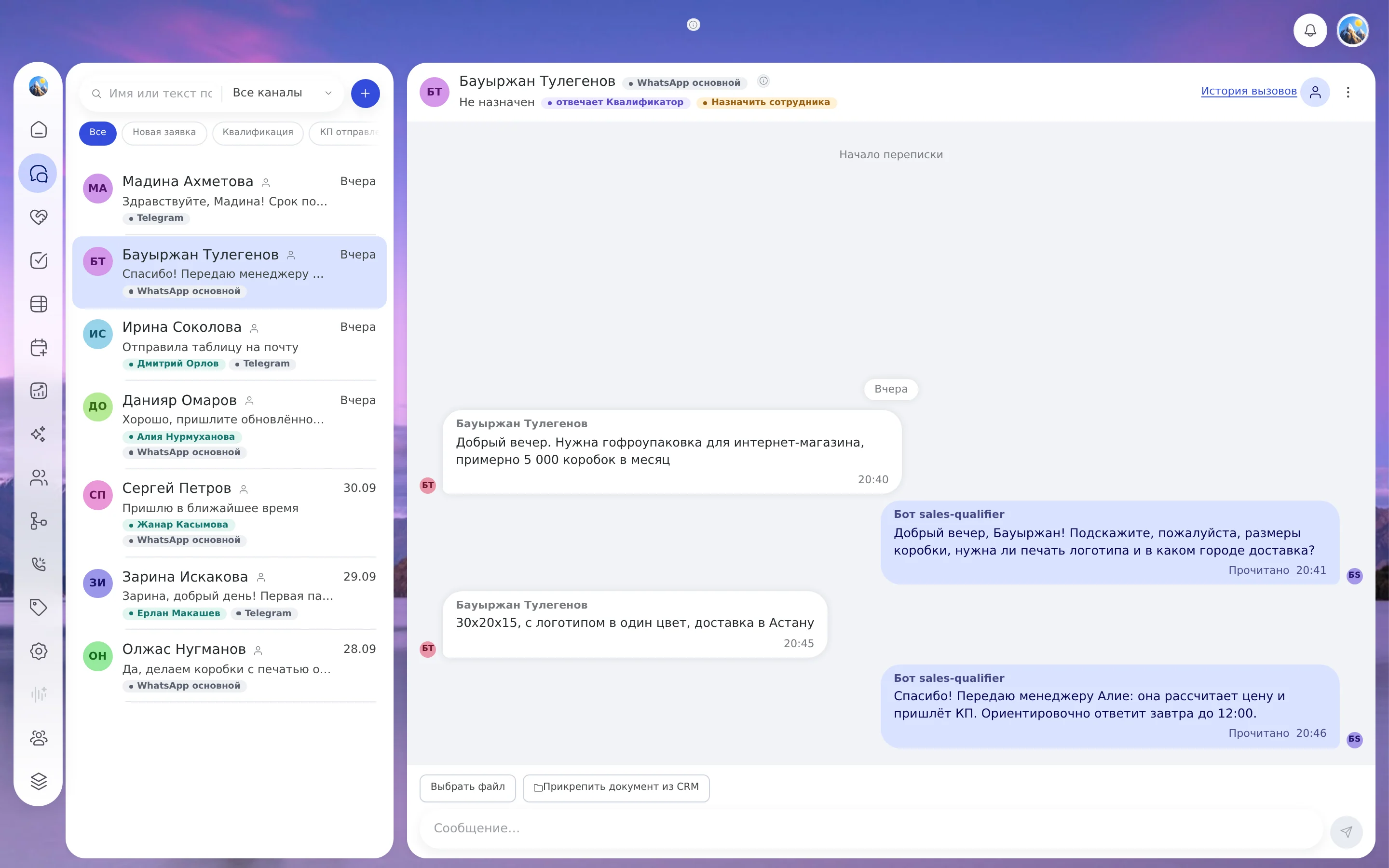
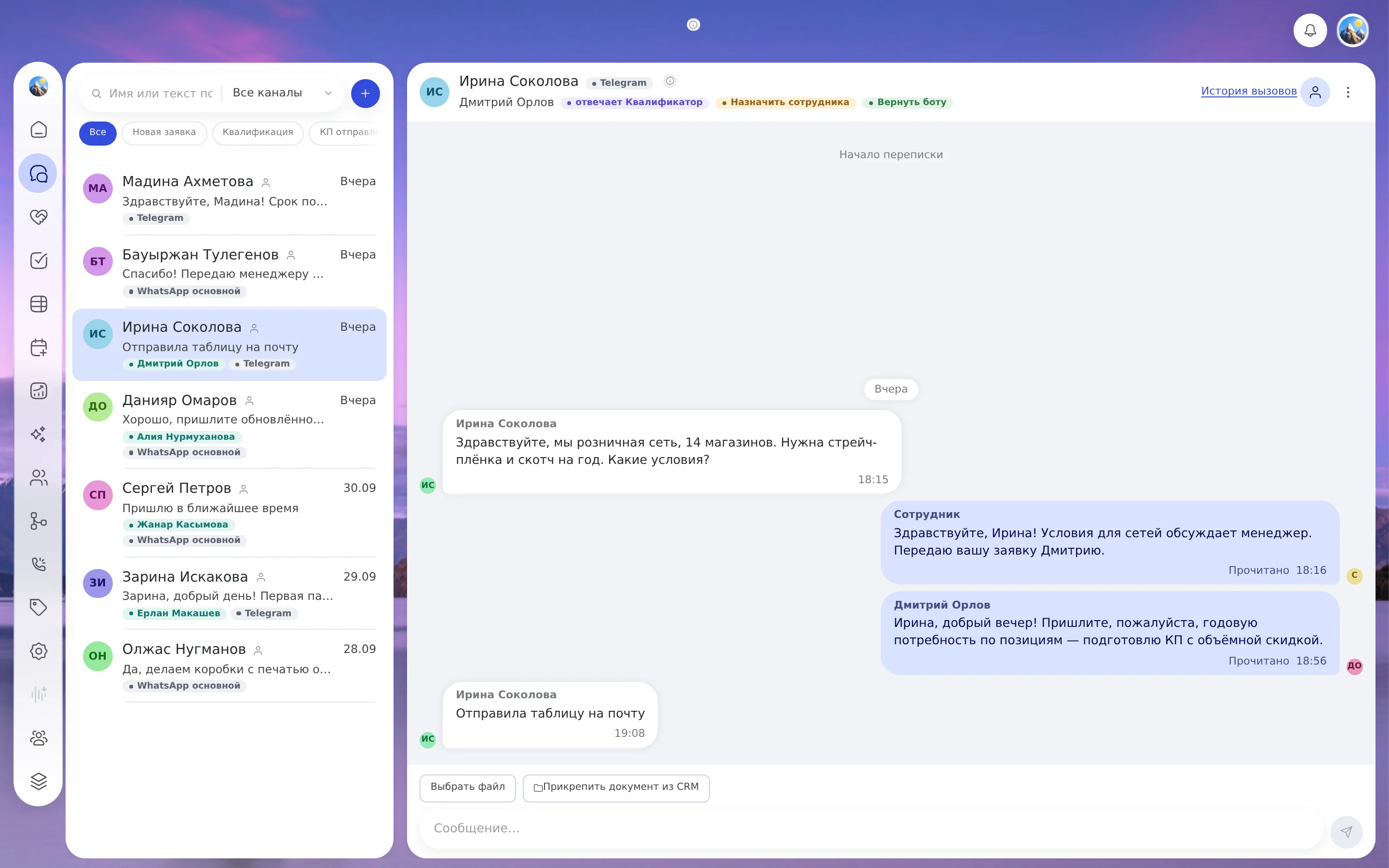
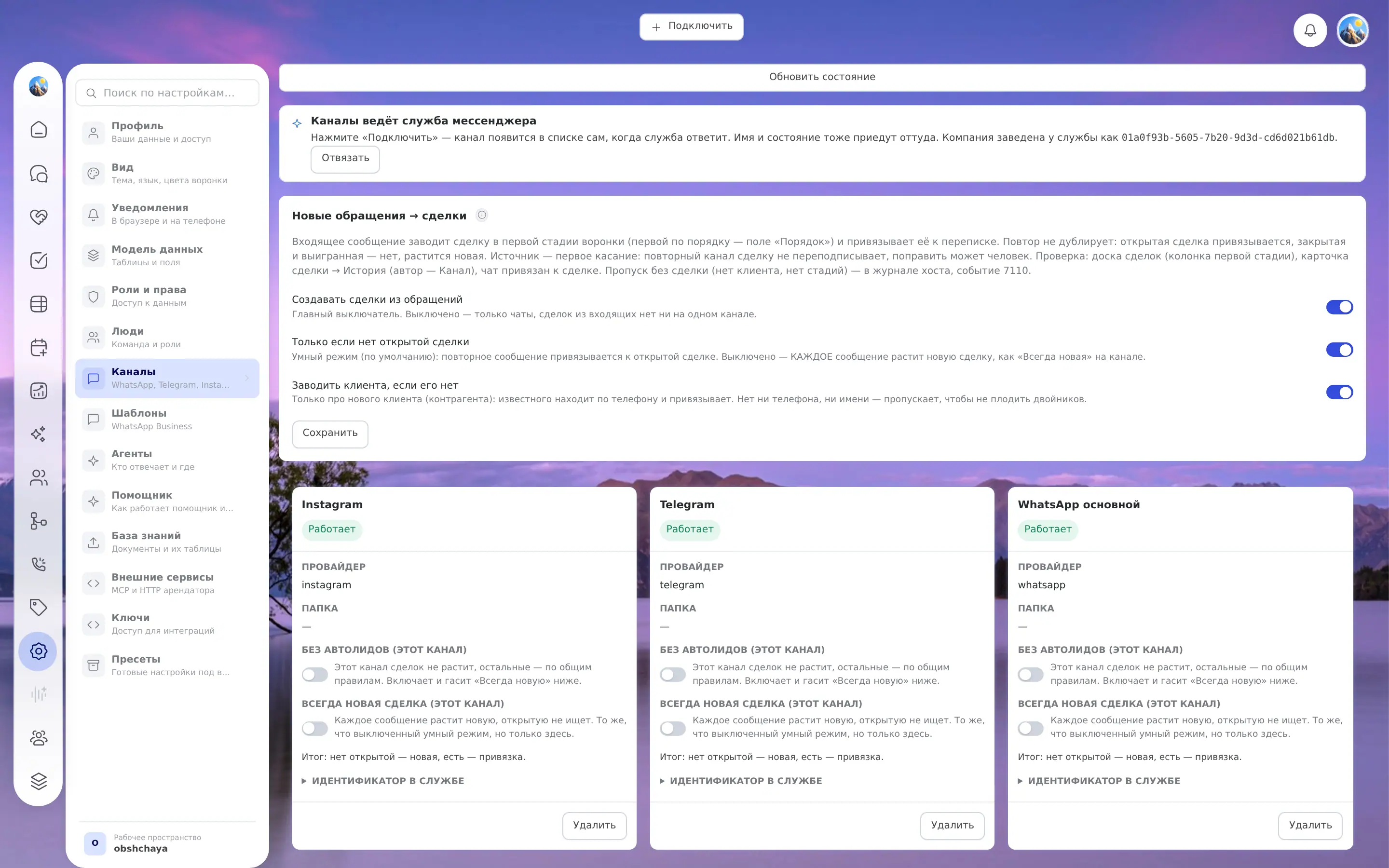
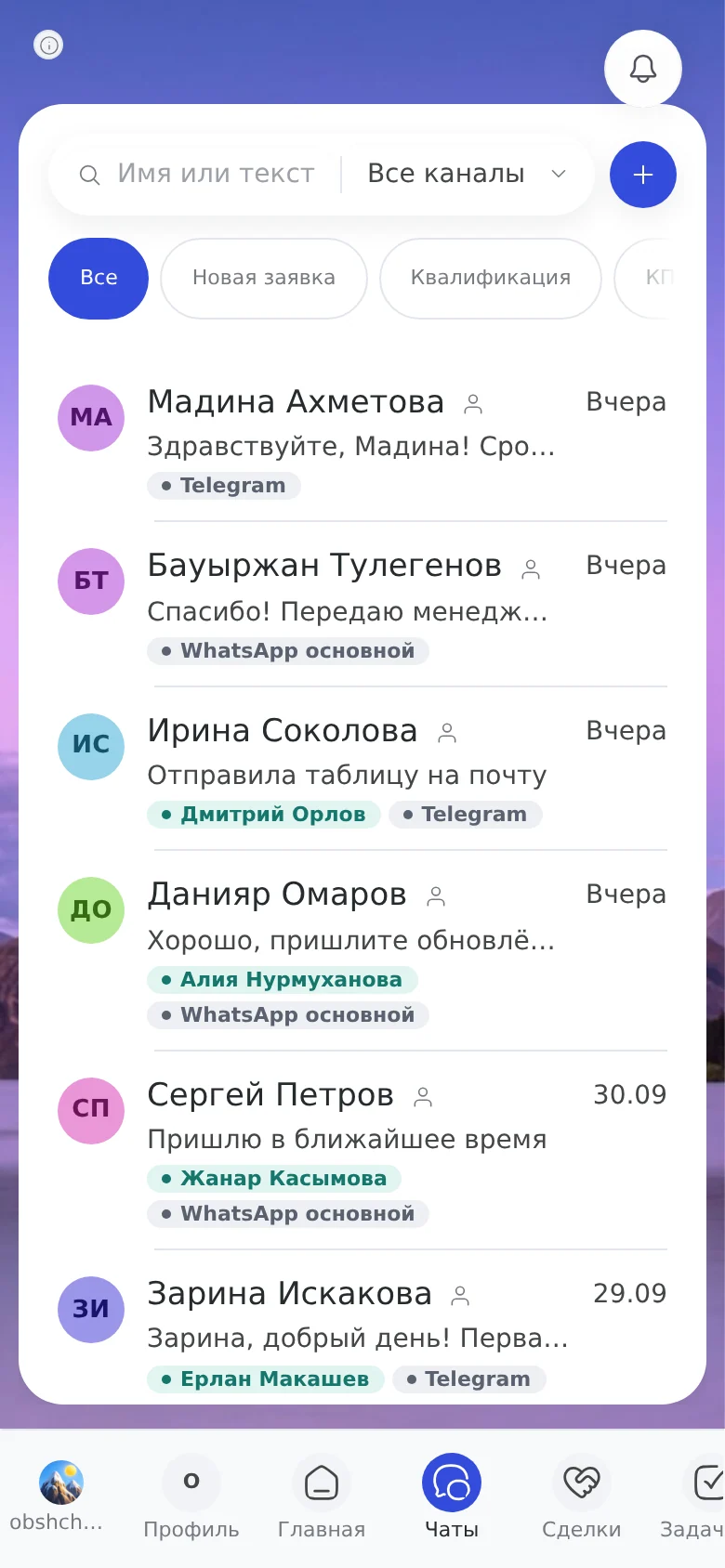
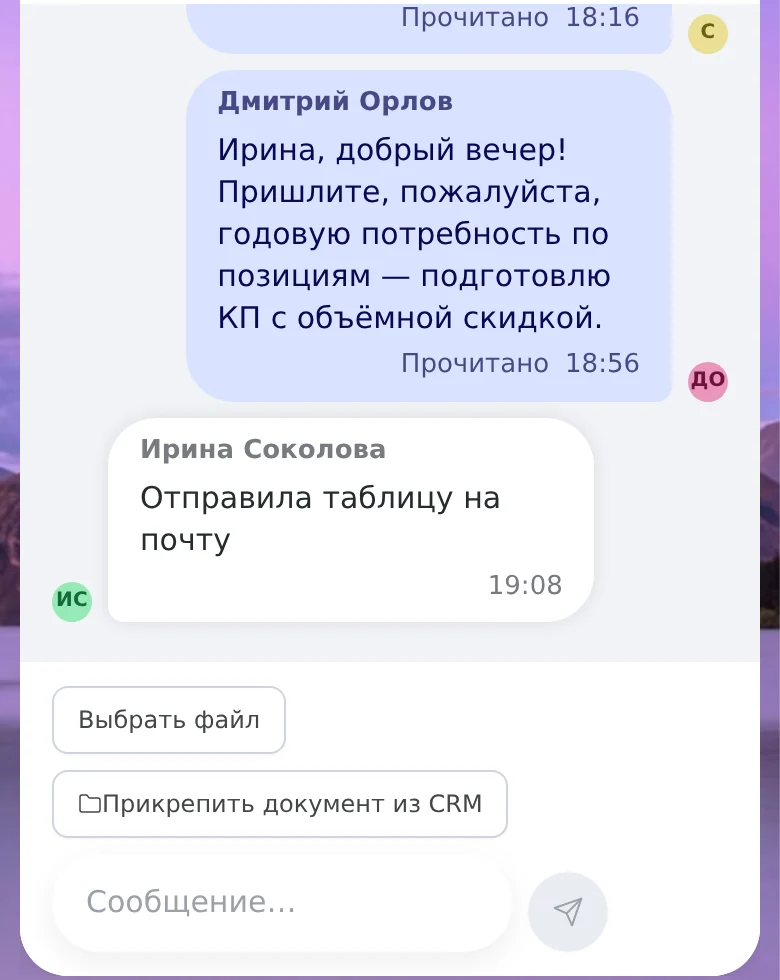
One list
Newest on top, search, a filter by channel and deal stage.
No “falsely sent”
A reply lands in the thread when the channel has accepted it; a retry doesn’t create a duplicate.
What can be connected and what can’t
Eight options on three platforms. There are no other messengers in the catalog.
Telegram
A bot with a token from @BotFather connects directly. A personal account connects through a third-party provider by code.
Three paths: a provider with connection by QR code, link code or the official WABA; a provider for WhatsApp Business; or the Meta Cloud API directly (an access token, a phone number ID and a WABA; a path for a technical specialist). The number and account are verified with the provider and Meta.
Instagram Business through a third-party provider, using a token from Meta Business Manager.
The manager is busy or gone: another one takes the dialog
Assign an employee to the chat: the bot goes quiet, and the header shows who is handling the conversation. The new employee sees the whole conversation from the start. When the question is resolved, the dialog returns to the bot with the “Return to bot” button. The server doesn’t let two people reply at once.
- Customer · 21:40Hello, how much is delivery to Astana?
- AI assistantHello! Delivery within Astana: the terms are in the “Delivery” section. What exactly are you interested in?
- CustomerI need a discount on a large order, is that possible?
- A question about a discount: the chat is assigned to a manager, the bot is stopped
- Staff memberGood afternoon, I'm manager Aliya. Let's discuss the size of the order.
What the owner sees without manual collecting
A manager opens the shared list and sees where a dialog came from, who is replying and which deal it is tied to. The administrator sets the rights in Settings → Roles and permissions. By default an “Employee” replies to clients and writes first, and an observer only reads.
- You can see which dialogs are unassigned and where something is unread.
- A filter by channel and deal stage shows where the flow comes from and where it gets stuck.
- An employee leaves, and the conversation stays in the CRM.
WhatsApp: the app, the API and the 24-hour window
The WhatsApp Business app works while one or two people are using it: one primary phone and linked devices, everyone sees all chats; without a subscription a dialog can’t be assigned (with Meta Verified/Meta One, up to 10 devices and chat assignment, according to the WhatsApp Help Center). A team needs the API. With it comes the window rule.
How it relates to your taskThis is a platform rule, not Kazakhstan statistics. It determines how you return to a client who has gone quiet: after a day a template is needed.
When the window is closed, the reply field asks you to choose a template. Templates are created in Settings → Templates: you can see Meta statuses there and submit a new one for review. Aitomaton has no advertising broadcasts.
How we differ from messenger aggregators and support inboxes
| What we compare | Messenger aggregators | CRMs with their own chats | A support inbox | aitomaton |
|---|---|---|---|---|
| Role | a bridge from messengers to your CRM | a CRM with its own chats or via integrators | a support inbox, can be self-hosted | an inbox inside a CRM |
| Channels | a wide set, including VK and MAX | depends on the integration | a web widget, messengers, email | WhatsApp, Telegram, Instagram |
| Client card and deals | in your third-party CRM | in the CRM itself | needs a link to a CRM | in the same system |
| Self-hosting | no | mostly no | yes | no |
If you already have your own CRM and need only a bridge, an aggregator will suit you better. If you need VK, MAX and other channels outside our catalog, aggregators have more channels. Aitomaton itself connects WhatsApp and Instagram through a third-party provider or the Meta Cloud API.
The first week
- A list of channelsWhere clients write now: numbers, accounts, bots.
- The connection methodTo start, a QR code connection or a Telegram bot is simpler; for a team, the official API (WABA) is better.
- ConnectingSettings → Channels; wait for the “Working” status.
- RolesSettings → Roles and permissions: who replies, who reads, who is the administrator.
- Assignment and the botDistribute the dialogs and turn on the bot for routine questions, in shadow mode first.
Try it free for 3 days or book a demo. For calls and booking, see the voice agent and online booking.
Security and channel operating rules
Conversation history is stored in the company’s CRM, and employee access is set by assigned rights and roles. For a team, the official WhatsApp Business API (WABA) is better.
Before connecting, managers often ask: “What if the number is blocked? What if a manager leaves?” The answers to these questions are covered in the frequently asked questions above.