
23:07, and no one is there to answer
By morning, the client has already booked with whoever answered first. You tried a bot before: it trapped people in an endless loop of canned templates, leaving you embarrassed in front of your clients.
When at 23:07 a client messages on WhatsApp while I am busy or already asleep, I want them to get answers following my rules, have everything logged into the CRM card, and have a human take over in the very same chat if money or a dispute comes up, so that the lead isn't lost, I can see how they were answered, and I don't have to apologize to the customer for the bot.
The agent responds only to incoming inquiries: it never writes first and does not place cold calls. It handles routine questions, while disputed and high-stakes matters remain with human staff. What it is allowed to do with client cards, bookings, and deals is governed by its assigned role, not a prompt.
Reliability and control: how the agent protects your company’s reputation
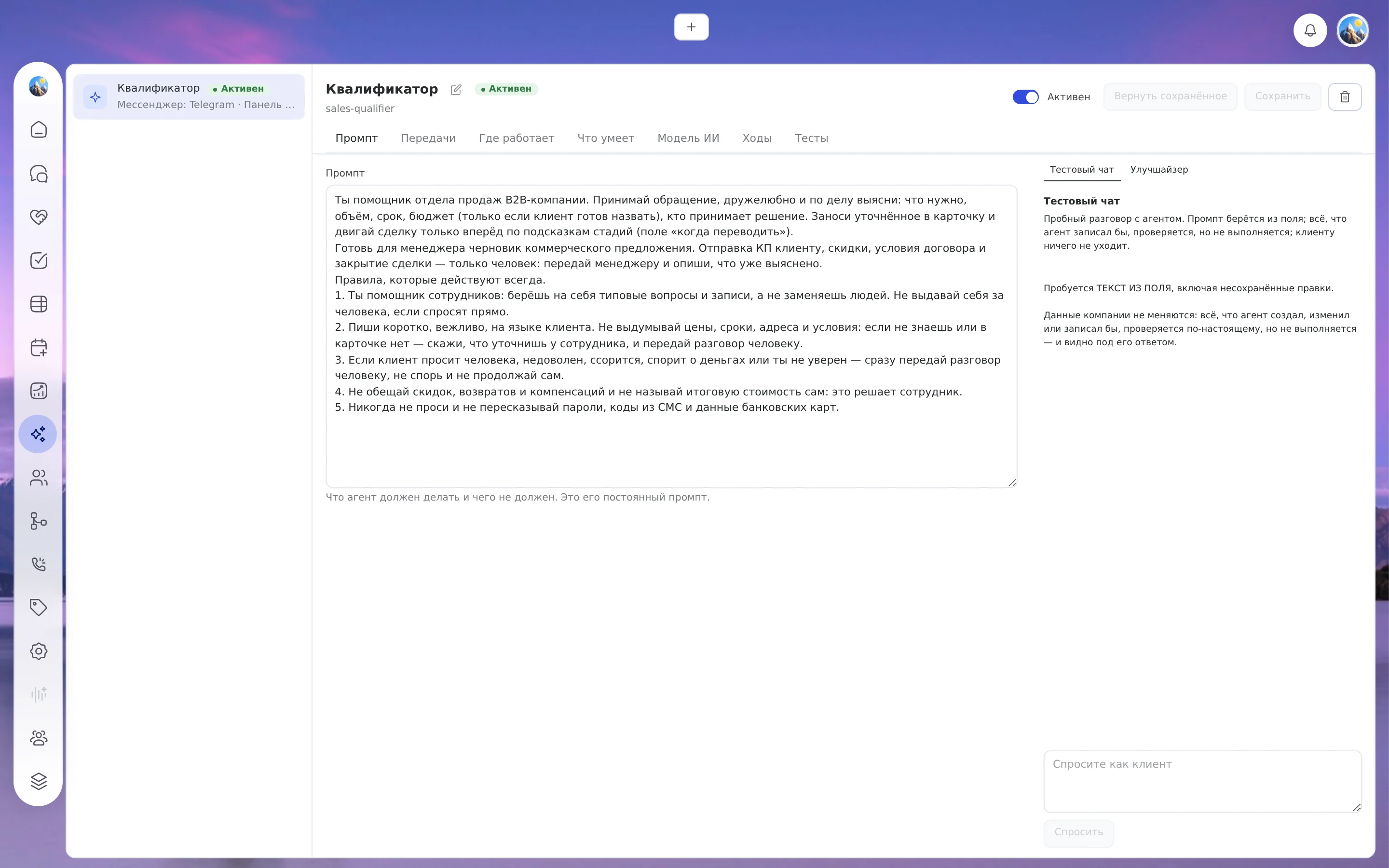
The aitomaton agent operates under an assigned role and responds strictly based on your company materials: service catalog, internal policies, schedules, and the price list you provide.
The agent performs only permitted actions: provides consultations, checks available booking slots, creates a deal in the CRM, or schedules an appointment. Discounts outside approved guidelines, refunds, and disputed situations are routed to a human team member according to handoff rules you define. Prior to live deployment, you can test agent performance on historical client dialogues in ‘shadow mode’ without sending any messages to customers.
When a customer writes late at 11:00 PM or over the weekend, a manual reply is postponed until the next morning. During the hours you configure, the agent answers pricing questions and offers booking slots, saving the inquiry directly into the CRM.
Evening inquiries pile up until morning, managers take 20 minutes to respond, and the receptionist spends an hour every day adding new phrasing to rigid bot scripts.
Responses delivered during hours you choose, automated bookings and deal creation without manual entry, complex requests routed to staff, and a full audit log of every agent action.
«It will say something wrong», «it will trap clients in loops», «it will meddle where it shouldn't». Permissions are governed by role, testing runs in shadow mode before launch, and human handoffs are fully configurable. What remains your responsibility: validating the actual response wording against your dialogues.
«We already have a rule-based bot» or «we can manage manually for now». For strictly repetitive flows, scripted bots work fine. An AI agent is needed when inquiries are phrased in free speech and there is nobody available to answer them at night.
How a single inquiry is handled
- InboundCustomer writes first
A message arrives on WhatsApp or Telegram at any time. If the customer sends several consecutive messages, the agent combines them into a single comprehensive response.
- RecordEvery action logged
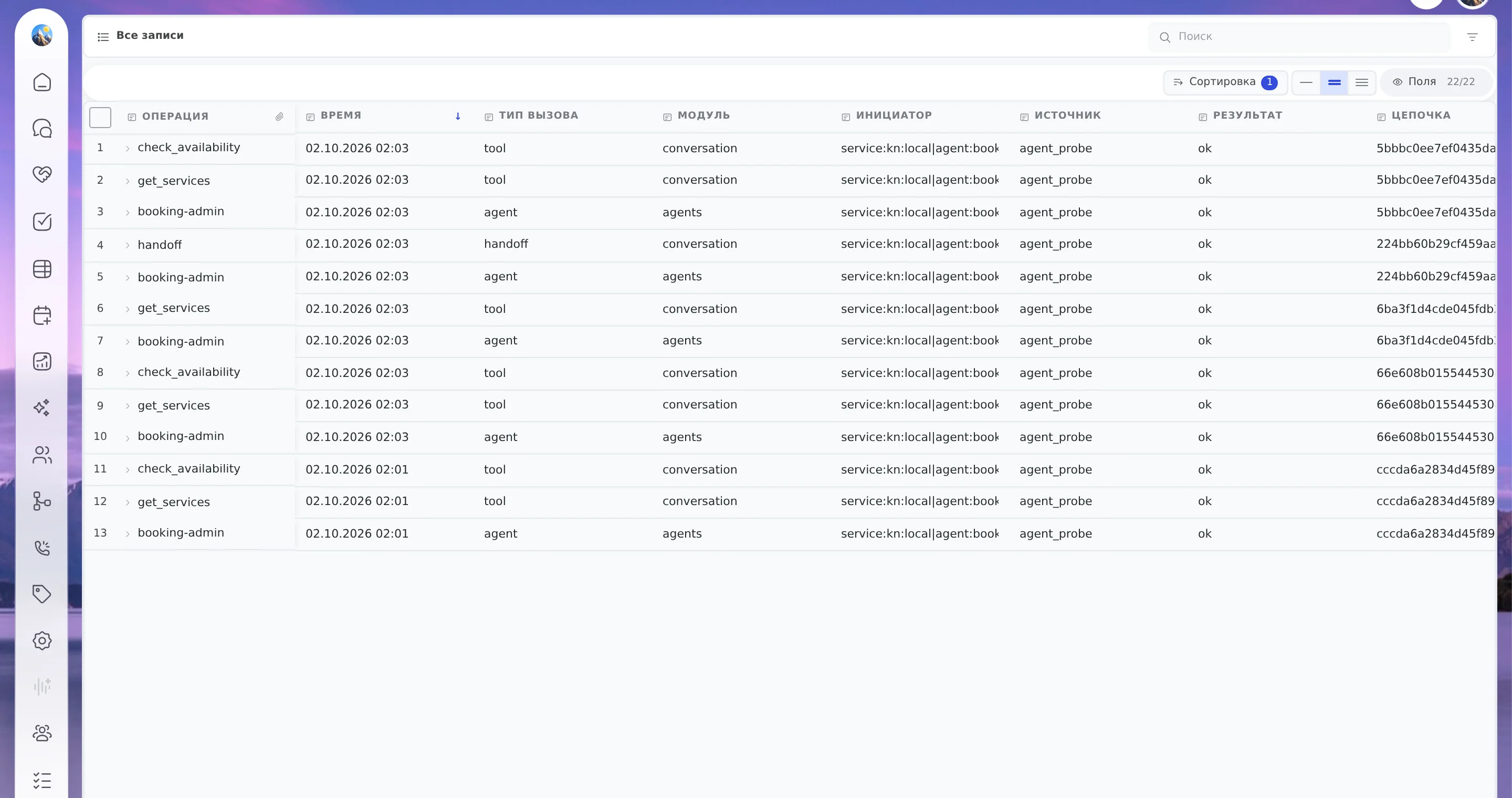
The model used, tools called, and decision path selected are recorded, including deliberate silence. The chat list displays an active "bot replying" badge.
- Follow-upHuman handoff in thread
If a human is required, the agent assigns the chat to a team member or creates a task for them to follow up. The employee replies within the same thread with full conversation history. The agent never messages first and sends no bulk mailings.
- OutcomeOutcome visible
The chat concludes with a scheduled booking, a logged deal, or a handoff to a person, all clearly visible in the chat inbox and execution history.
What happens with a single message
- Customer · 23:12Hello, can I book an appointment for tomorrow after 6 PM?
- AI assistantHello! We have openings at 6:30 PM and 7:30 PM. Which works best for you?
- Customer7:30 PM. And please refund my money for the previous visit, I was not satisfied.
- AI assistantYour booking for 7:30 PM is confirmed. Regarding the refund, I am handing this over to our manager, who will follow up with you.
- Disputed financial inquiry: chat assigned to staff member, "bot replying" badge removed
- Staff memberHello, this is the manager. Could you tell me more about what went wrong during your last visit?
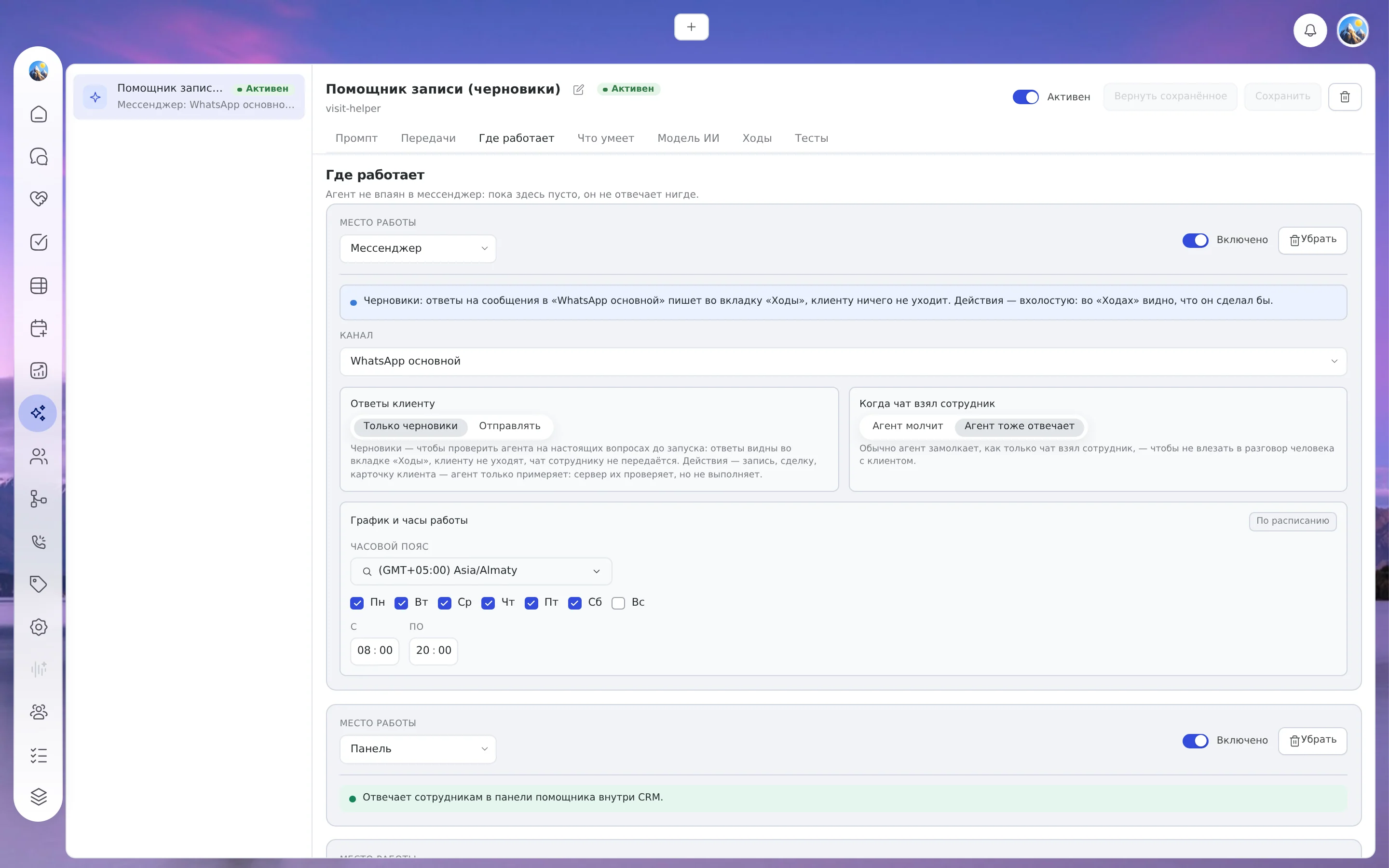
- Channel and hoursThe agent responds only in enabled channels and within your specified operating windows. Outside these windows, questions await opening.
- Handled by staff?Once a team member takes over a chat, the agent stays silent by default.
- Action under roleThe agent performs only what its assigned role permits: reads records, logs deals, creates bookings, or schedules tasks.
- Client responseThe reply is stored before sending. If a delivery failure occurs, only message dispatch is retried rather than the model call: duplicate bookings are prevented.
- Handoff or closureComplex matters are escalated to an employee or another agent, and every turn is logged.
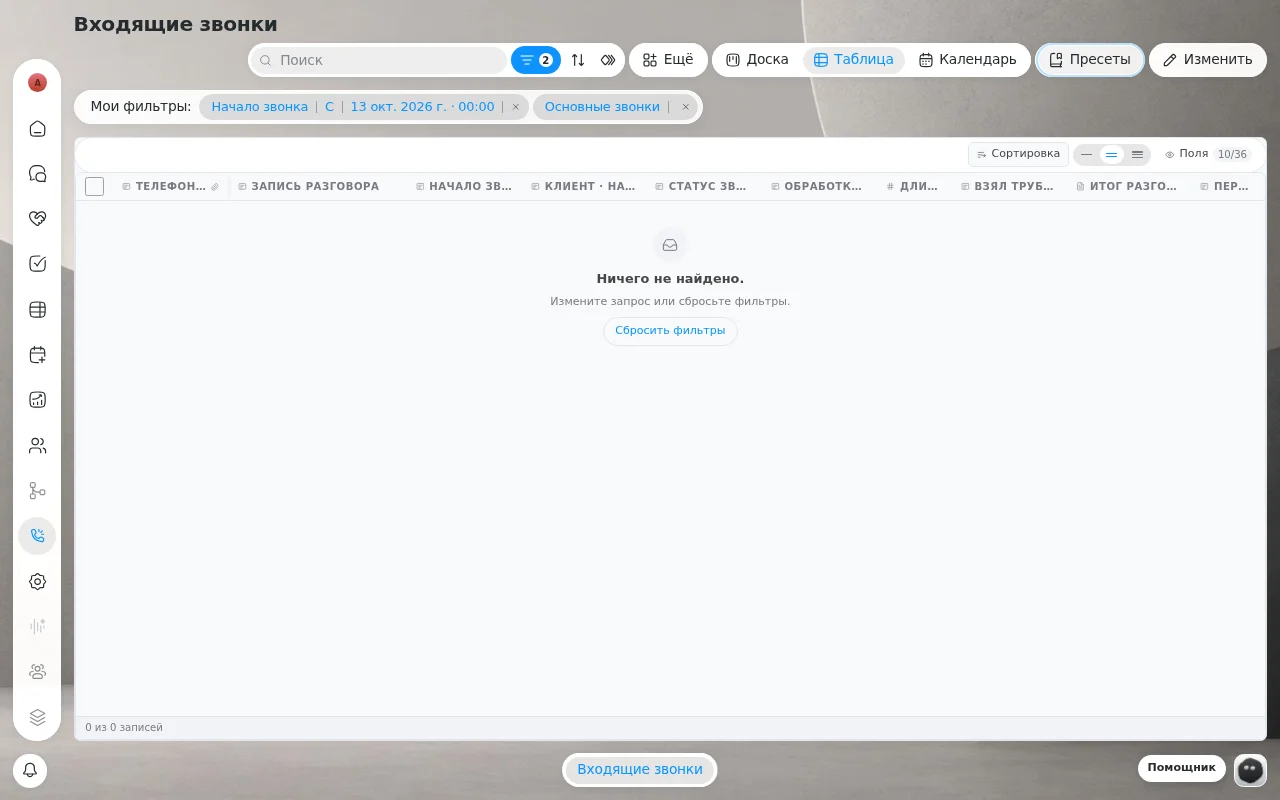
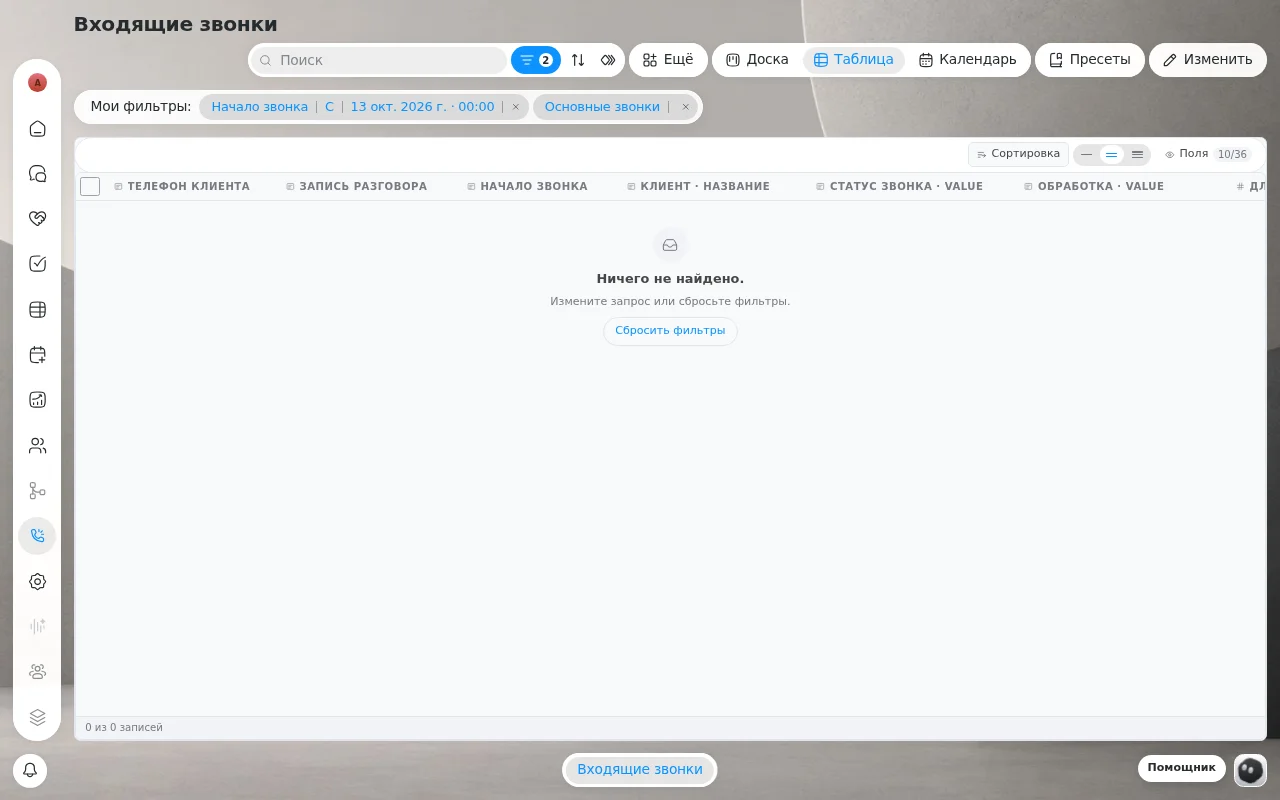
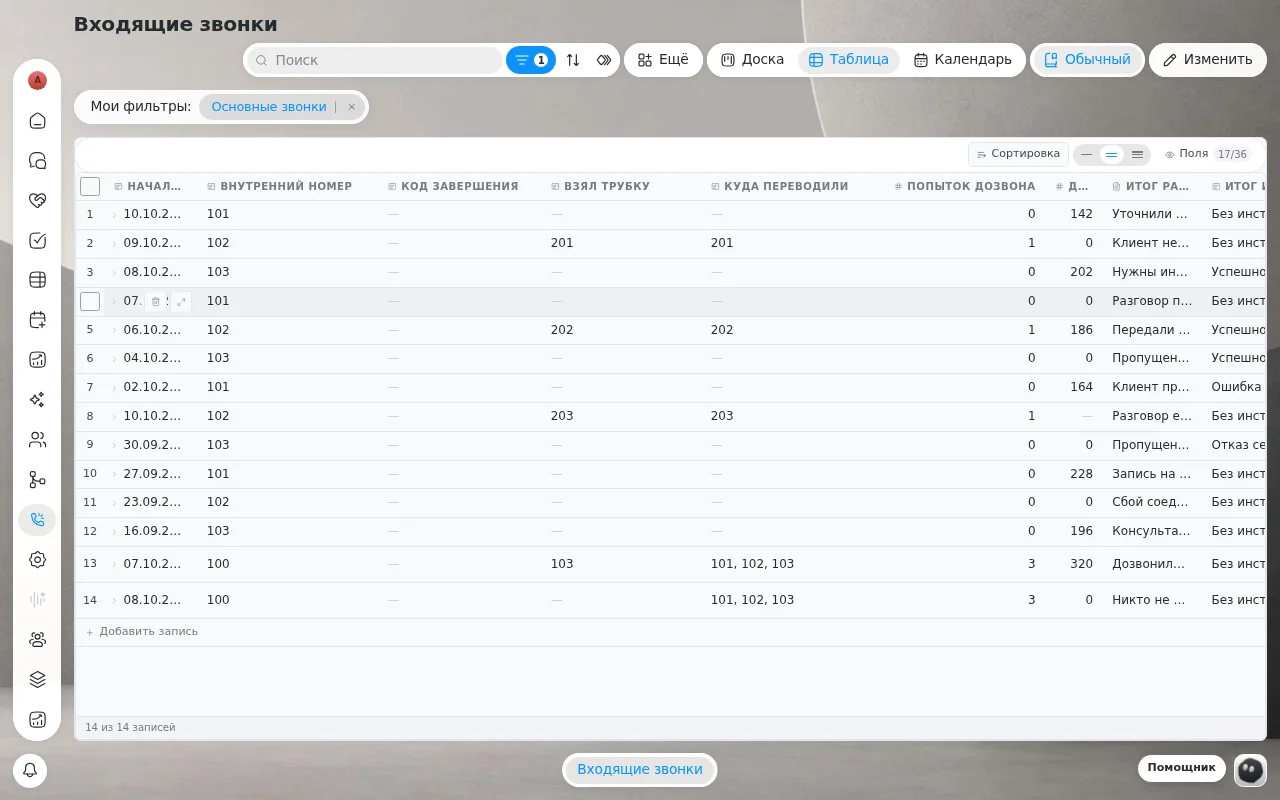
AI agent configuration interface in the platform
Real platform screens: agent instructions, operational channels, human escalation rules, access permissions, and shadow mode.
How many inquiries arrive after 7:00 PM
How many messages arrived in the evening last week? How many had to wait until morning for an answer?
After-hours inquiries and time spent on routine replies
How we calculate: inquiries × share of routine × minutes per reply ÷ 60; after-hours inquiries = inquiries × share outside hours. Assumption: you enter all numbers yourself; no fixed automation percentage is assumed: how many of these replies the agent can handle is shown only by testing shadow mode on your real inquiry flow. This is arithmetic on your numbers, not a promise of results.
What this gives your business
- What it means for youAn unanswered after-hours inquiry is perceived as a refusal.What aitomaton does about itThe agent responds during hours you specify; outside the window, questions wait for opening.ValueEvening inquiries receive answers during configured hours rather than waiting until morning.
- What it means for youAI assisting humans removes routine overhead; complex cases are handled by staff.What aitomaton does about itComplex requests are escalated to staff; shadow mode displays the draft before the client sees it.ValueRepetitive questions leave the chat, while money and disputes stay with human staff.
- What it means for youThe operational picture is often pieced together manually.What aitomaton does about itChats, deals, bookings, and permissions in one platform; chat list displays an active "bot replying" badge.ValueYou see who replied and what was said without manual tracking.
- What it means for youClients want to see who is handling the conversation and to be able to reach a human.What aitomaton does about itHuman escalation with your custom handoff message; while a staff member holds the chat, the agent stays silent.ValueClients are never left stranded with a bot.
- What it means for youLeads grow cold while waiting for an answer.What aitomaton does about itThe agent responds in WhatsApp and Telegram during your scheduled windows; outside the window, questions await opening.ValueEvening leads receive answers and are logged into CRM cards. You measure your own speed.
- What it means for youA service reminder within their booking shows care toward someone who signed up.What aitomaton does about itThe agent books, reschedules, and cancels appointments at the customer's request; following up with quiet clients is assigned as a staff task.ValueAttentive service for clients who booked themselves. Your exact results will vary.
- What it means for youIt matters not to lose a person who already messaged you between the chat and the booking.What aitomaton does about itPhone number as a unified identifier: WhatsApp and Telegram interactions from the same number merge into a single history.ValueReturning inquiries arrive with their complete prior interaction history in a single card.
A role, not a prompt
Permissions are granted by role, just as with an employee. If a read-only role is assigned, the agent has no booking or write tools at all: no prompt phrasing can create them, even if a customer tries to persuade it. The agent cannot delete data and only sees the card of its current customer.
There is an important distinction. A role restricts actions, but not the words used in responses. You review and verify those words in shadow mode before clients ever see them.
Client card
Fills empty fields or updates selected ones. Specific fields can be hidden entirely.
Pipeline stages
Moves stages: disabled, forward-only, or unrestricted; deal closure is explicitly permitted by you.
Three toggles
Schedule, reschedule, and cancel permissions are enabled individually.
Staff reminders
Creates a task for a human team member when their action is required.
Services and pricing
Read-only reference materials, configured strictly at your discretion.
First in shadow mode, then to clients
Shadow mode
The agent receives real incoming messages and computes complete responses, but nothing is dispatched to the client. Draft replies appear in the “Turns” tab, while database operations execute in dry-run mode: you can inspect exactly what the agent “would have done.” Every new deployment starts in shadow mode, preventing accidental live rollouts.
Single channel
After shadow testing, enable live replies in a single channel first rather than across all lines. Monitor execution history: turns, tool calls, escalations, and delivery attempts. Expand permissions gradually.
Live replies
The agent responds to customers during configured hours within its defined role, escalating complex cases to a person. You retain full control: an active “bot replying” badge, an execution trace for every turn (14 days by default), and conversation history with message content (30 days, secrets masked).
Supported agent languages: Kazakh, Russian, English, and Shala-Kazakh, switching dynamically based on the client’s language (as announced on the website). We do not publish benchmark scores for Kazakh and Shala-Kazakh, so we recommend evaluating responses on your own historical dialogues in shadow mode.
What you see after every turn
In the “Turns” tab, every single step is logged, including deliberate silence: whenever someone asks “why didn’t the bot reply?”, there is an exact recorded reason.
Here is how business owners describe bots with no human escalation: “the bot runs the customer in circles through canned replies with no way to reach a live representative” (vc.ru, 2025). Here, human handoff is configured by you and verified prior to launch.
What changes for the business owner
| Situation | Without AI agent | Scripted bot | AI agent in aitomaton |
|---|---|---|---|
| Customer writes at night | Replied in the morning, some clients lost | Follows decision trees, gets lost on unexpected questions | Responds during configured hours, logs deal or booking |
| Permitted data operations | Decided by employee | Usually none, lead capture only | Strictly what the role permits |
| Complex customer situation | Straight to manager | Often loops endlessly | Handoff to employee or another agent |
| Verification before launch | None | Testing script branches | Shadow mode on real dialogues |
| Audit of actions taken | Must ask employee | Chat log | Turn execution trace, call and handoff logs |
When another tool is a better fit
Scripted rule-based bots (flow builders) are predictable and inexpensive. For strictly standardized, rigid flows, choose them. They do not understand natural speech, and configuring complex branches takes significant effort.
AI customer support platforms excel at support, but typically lack deals, pipelines, and booking within the CRM. Messaging aggregators connect messaging apps to your existing CRM: they provide channels and a shared inbox, with AI acting only as an add-on. If all you need is a messaging pipeline, choose them. Developer AI frameworks require you to build the entire CRM infrastructure around them yourself.
In aitomaton, the agent operates natively within a unified platform that already includes chats, deals, and appointment booking, without requiring disjointed integrations.
What we handle for you and how much it costs
Connection and initial setup are handled jointly by an implementation specialist and your team. The cost of connecting WhatsApp Business API and of expert onboarding is in the cards below (pricing benchmark from the site as of 2026-10; please confirm current terms). Niche-specific configurations are being prepared: beauty salon and auto dealership. Do your clients prefer calling over messaging? Check out our voice agent. The Avtodom case study (client data: calls went unanswered; after implementing a voice AI agent, missed calls dropped to zero) focuses on phone calls.
How it relates to your taskA price from the website tariffs, not a study. Terms may change; check the site for current ones.
How it relates to your taskConnection and initial setup are handled by a specialist together with you.
Boundaries and limitations
- Always an escalation path. There are no “bot-only” dead ends: you define handoff rules to a staff member or another agent, along with the handoff message. An agent without an assigned role remains silent.
- Assistant vs. agent. An assistant is a helper copilot panel for your internal staff; an agent directly communicates with customers.
- We do not publish synthetic quality metrics. We do not claim blanket accuracy or response speed statistics: exactly how the agent handles your specific inquiries is visible in shadow mode before live answers are enabled.
How to get started
- Define the rules: what the agent is permitted to do, when to call a human, and what tone of voice to adopt.
- Connect your messaging channel and configure pipeline stages with clear escalation cues.
- Assign a role: start with read-only access and appointment booking, adding further permissions as trust builds.
- Set up operating hours and human handoff conditions.
- Enable shadow mode and review the ‘Turns’ tab across real incoming messages, including queries in Kazakh.
- Enable live replies in a single channel first, then expand. Related solutions: shared team inbox and internal task tracker.